AI in Web Development is increasingly reshaping how organizations plan, design, and build digital products. As artificial intelligence becomes more deeply embedded in the web development process, leaders often ask whether AI can eventually replace UX/UI designers or even replace web developers for certain tasks. With AI now capable of automating repetitive tasks, generating code snippets, analyzing UX patterns, and supporting AI-powered design, the promise of faster delivery and lower cost is more attractive than ever.
But the strategic question remains: when does AI genuinely create business value, and when does it introduce risk, hidden cost, or quality loss—especially in complex web applications?
1. Where AI in Web Development Truly Accelerates UX/UI Work
Modern AI development tools act as accelerators, helping designers and product teams work faster and more efficiently. Their strongest impact appears in three areas: research, prototyping, and content creation.
Research accelerated by AI algorithms and NLP
Thanks to AI algorithms and natural language processing (NLP), teams can now process large volumes of user feedback, competitor data, and analytics in real time. AI assists with:
- summarizing insights from large datasets,
- identifying UX patterns across competing web applications,
- generating data-driven hypotheses and interview questions.
Industry benchmarks show that AI may reduce research time by 30–40%, especially when automating repetitive tasks that previously required manual review.
Prototyping — the strongest ROI area for utilizing AI
AI-powered design systems accelerate early-stage prototyping by transforming business assumptions into testable structure.
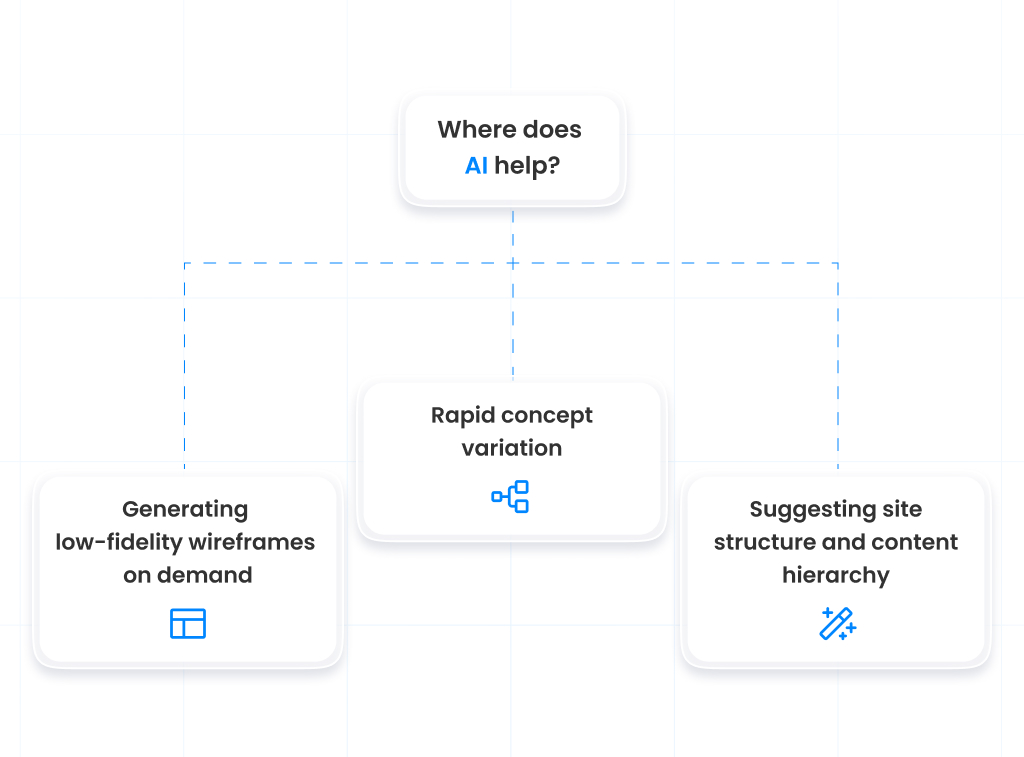
1. Generating low-fidelity wireframes on demand
AI can instantly translate text descriptions into layout drafts for user-friendly websites or applications. This allows teams to validate early ideas before committing design resources.
2. Suggesting site structure and content hierarchy
By analyzing project requirements, AI offers recommendations for logical layout, navigation, and information flow. This helps organizations quickly verify whether a concept aligns with business objectives and overall customer experience expectations.
3. Rapid concept variation
AI enables rapid concept exploration by producing multiple layout variants within minutes. Teams can compare and refine directions far earlier in the web development process.
Content and asset creation using AI development tools
AI systems also shorten the time required for supporting tasks:
- rapid drafting of copy for web design,
- asset generation for UI,
- code generation for interactive components,
- preparing visuals and branded elements.
For many organizations, this reduces operational overhead and frees designers to focus on higher-value, strategic activities.
2. AI in Web Development and Cost Structure: Where You Save — and Where You Don’t
From a financial perspective, AI appears to cut costs through reduced manual workload, especially when utilizing AI to automate foundational tasks or generate initial drafts of layouts and content.
Where AI legitimately reduces cost
- fewer hours spent on manual wireframing,
- quicker transitions from brief to prototype,
- accelerated creation of content and UI elements,
- early validation of ideas without extensive design cycles.
Simple products—such as landing pages or marketing microsites—often benefit the most.
Hidden costs many companies underestimate
- licenses, subscriptions, and paid AI plugins,
- time needed to train teams on new AI tools,
- inconsistent outputs requiring rework,
- quality issues that impact both design and customer experience,
- risk that AI-generated content resembles existing copyrighted materials,
- incorrect assumptions that lead to expensive corrections late in the web development process.
AI enables speed, but speed without accuracy can lead to downstream inefficiencies that outweigh initial savings.
3. Quality & User Experience: Where AI Still Falls Short
Although AI-powered design tools can support layout creation and enhance productivity, they lack the core human capabilities that define high-quality digital products.
As highlighted in Coursera’s analysis of how AI is transforming UX design, AI can significantly streamline processes and personalize experiences, but still requires human judgment to prevent errors, bias, or low-quality output.
1. Lack of emotional and contextual understanding
AI cannot fully interpret human behavior, emotion, or subtle interaction patterns. This limits its ability to deliver the nuanced, intuitive experiences required for sophisticated web applications.
2. Generic outputs and reduced brand differentiation
Because AI draws from statistical patterns, its designs often resemble existing layouts across the market. This undermines uniqueness, dilutes brand identity, and weakens perception in competitive categories.
3. Inability to ask the right strategic questions
AI proposes answers, but designers uncover root problems. Without proper framing, even the best AI output may optimize for the wrong objective, harming both usability and business performance.
4. Business Risks of Over-relying on AI
1. Brand inconsistency
AI-generated assets often lack long-term stylistic consistency, creating misalignment across pages and screens.
2. Intellectual property and legal risks
AI may unintentionally reproduce copyrighted text, imagery, or likenesses. In sectors like healthcare or finance, this risk is unacceptable.
3. Weakening internal capability
Automation may reduce opportunities for junior designers to develop critical skills, increasing long-term dependency on vendors or external consultants.
4. Elevated risk in complex or regulated environments
In complex products, inaccurate assumptions or poorly aligned UX can create serious operational, legal, or compliance risks.
5. The Future: A Designer–AI Partnership Rather Than Replacement
AI will continue to evolve, offering more advanced support for enhancing user journeys, generating components, and helping teams deliver faster. But rather than replace web developers or UX/UI designers, AI will become part of a collaborative ecosystem.
Future designers will focus on high-value skills:
1. Quantitative and qualitative data analysis
Designers must interpret behavioral insights, analytics, and business metrics to inform product strategy. This is essential for building data-driven products.
2. Prompt engineering and working with multimodal AI models
Effective AI usage requires precise task instructions and the ability to guide models that handle text, images, audio, and structured data.
3. Strategic experience design
Designers increasingly shape emotional and functional user journeys — influencing conversion, retention, and customer lifetime value.
4. Integrating business, technology, and psychology
Modern UX/UI sits at the intersection of commercial goals, technical constraints, and user motivation. This holistic perspective cannot be automated.
Organizations that master this hybrid model — combining human insight with AI acceleration — will achieve the greatest competitive advantage.
6. AI or a UX/UI Designer? Decision Guidance for CEOs and CFOs
When AI is sufficient
- simple websites or internal tools,
- rapid prototyping,
- tasks where speed matters more than innovation,
- early exploration of layout ideas or flows.
When a UX/UI designer is critical
- building investor-facing MVPs,
- complex workflows or multi-layered interfaces,
- products where UX directly impacts revenue and retention,
- regulated sectors, or products requiring deep empathy and trust,
- strategic initiatives requiring differentiation in the market.
Conclusion
AI in Web Development is transforming how teams design and build digital products. With capabilities such as AI-powered design, code generation, AI algorithms, and automated research, AI undoubtedly accelerates execution. But AI does not—and will not—replace UX/UI designers in areas where human judgment, empathy, creativity, and strategic reasoning define product success.
The most effective approach is hybrid: utilizing AI for speed and scalability, while relying on designers for insight, strategy, and exceptional customer experience.
Next Steps & Further Reading
If you’re ready to explore the right balance between AI automation and expert UX/UI design, Stermedia can help you apply AI safely and effectively across your web development process.
Continue exploring how AI transforms digital strategy:
- Developer vs AI: Who Really Writes Code?
This article explores how AI algorithms accelerate software creation by automating repetitive tasks and generating code snippets, while emphasizing that human expertise remains essential for quality and architecture. - AI Development – Your Strategic Partner in Building Modern Digital Products
A concise overview of how utilizing AI and AI development tools makes the web development process more data-driven, improves customer experience, and speeds up modern web application delivery. - From Redesign to Tech Partnership. Smart Workspace – Stermedia
This case study shows how long-term collaboration and continuous web design improvements led to a scalable, user-friendly solution that supported the client’s business growth